
GTA 6 AI Prompt & Style Guide (2026): How to Turn Any Selfie Into Vice City Cover Art
Copy-pasteable GTA 6 AI prompt & GTA 6 image prompt recipes for Rockstar-style cover posters, GTA character filter portraits, and Vice City loading screens—or generate 2K results from one selfie in 20 seconds.
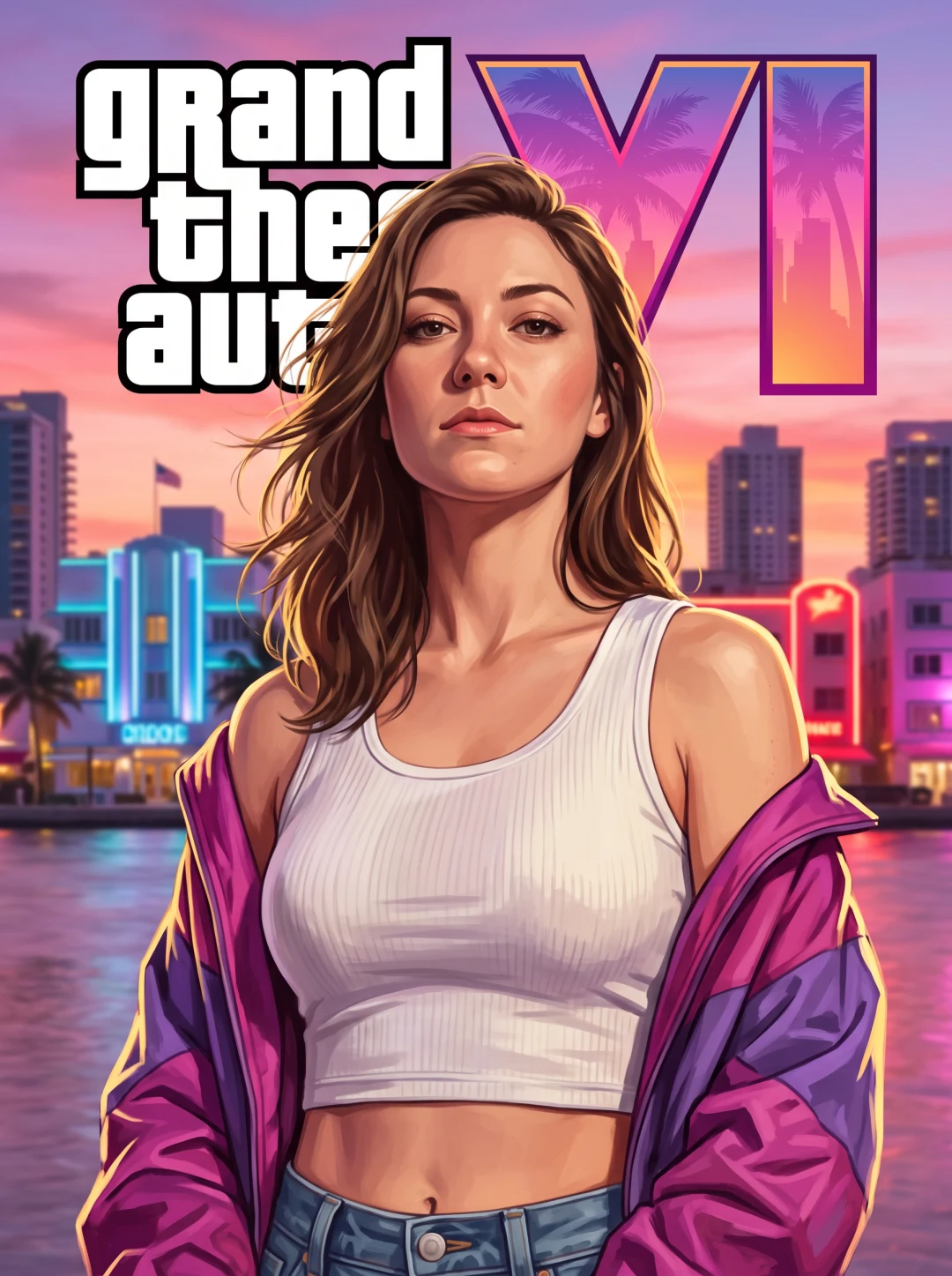
Quick answer: The secret to an authentic GTA 6 image prompt and GTA character filter (instead of cheap flat-cartoon filters) is combining three layers in your prompt: (1) an almost photorealistic airbrushed face with zero black ink outlines, (2) bold gouache-painted clothing folds with golden-hour rim light, and (3) a softly out-of-focus Miami sunset waterfront background.
Want to skip prompt tweaking completely? Upload one ordinary selfie or couple photo to our GTA 6 AI Generator Hub and get a 2K watermark-free result in 15–30 seconds (60 credits).
Why Most "GTA Filter" Prompts Look Like Cheap Cartoons
If you prompt an AI model with "comic book style, thick black outlines, cel-shaded cartoon", the model draws heavy dark lines around your nose, eyes, and jawline—making your face look flat and unrecognizable.
Real Rockstar Games GTA VI promotional key art uses a hybrid painterly technique:
- Face & hair: Ultra-detailed digital airbrush painting, natural skin tones, soft shading, sunlit backlit hair, zero black outlines on the face.
- Clothing & props: Crisp gouache paint planes and sharp sunlit highlights on jackets, tank tops, and retro cars.
- Background: Photorealistic shallow depth-of-field bokeh (neon Art Deco hotels, palm silhouettes, sparkling ocean sunset)—never flat 2D cartoon lines.
Copy-Paste GTA 6 AI Prompts & GTA 6 Image Prompts (Solo & Couple)
1. Vice City Cover Poster (With Grand Theft Auto VI Logo)
Authentic Rockstar Games Grand Theft Auto VI official promotional key-art texture: render the face, skin, eyes, and sunlit hair in ultra-detailed, almost photorealistic digital airbrush painting with zero black outlines on the face. Contrast with bold gouache brushstrokes on a fitted white ribbed tank top and magenta-and-purple retro windbreaker draped off the shoulders. Slightly low-angle waist-up hero portrait in front of a softly out-of-focus Miami waterfront at pink-orange sunset with neon Art Deco hotels and palm trees. Behind the top of the head, render the stacked white "grand theft auto" lettering beside a pink-orange gradient "VI" filled with palm silhouettes.
👉 Skip the prompt: Try this exact tuned style in one click with GTA 6 Poster Generator (3 styles · 3:4 Cover, 9:16 Wallpaper, 1:1 PFP).
2. Ocean Drive Convertible Loading Screen (Clean Art, No Logo)
Rockstar GTA VI key-art painting: preserve exact real facial likeness with airbrushed skin and sunlit hair (no cartoon black outlines on face). Waist-up standing pose leaning casually on a glossy pastel-coral vintage convertible on Miami Ocean Drive, glowing pink neon flamingo, soft-focus Art Deco hotels, palm trees, and fiery orange-magenta ocean sunset. No text, no logos, no watermarks.
👉 Skip the prompt: Try all 5 Vice City scenes (Loading Screen Art, Ocean Drive, Nightclub Boss, Heist Duo, Vice Beach) with GTA Loading Screen Generator.
3. Couple Heist Getaway (2 People)
Rockstar GTA VI key-art painting preserving both people's exact faces, hair, and likenesses. Dynamic back-to-back waist-up hero pose holding duffel bags of cash in front of a glossy metallic-purple scissor-door supercar on a palm-lined Miami coastal highway at blazing pink-orange sunset, with a police helicopter spotlight beam overhead. Soft bokeh skyline, golden rim light, zero text or logos.
Want to Star in a Full GTA 6 AI Video Instead?
Once you have your 2K poster or phone wallpaper, you can also step into full-motion GTA farewell scenes with original sound:
- GTA Diner Handover — 16-second vertical 9:16 neon-diner booth farewell & Vice City arrival
- GTA 5 Sunset Goodbye — 15-second Los Santos pier farewell with shoulder pat and coastal drive
- Explore all 4 GTA 6 AI templates
Note: All GTA-style prompts and templates on AI4MEME are independent fan creations for personal posts and wallpapers, not affiliated with Rockstar Games or Take-Two Interactive.
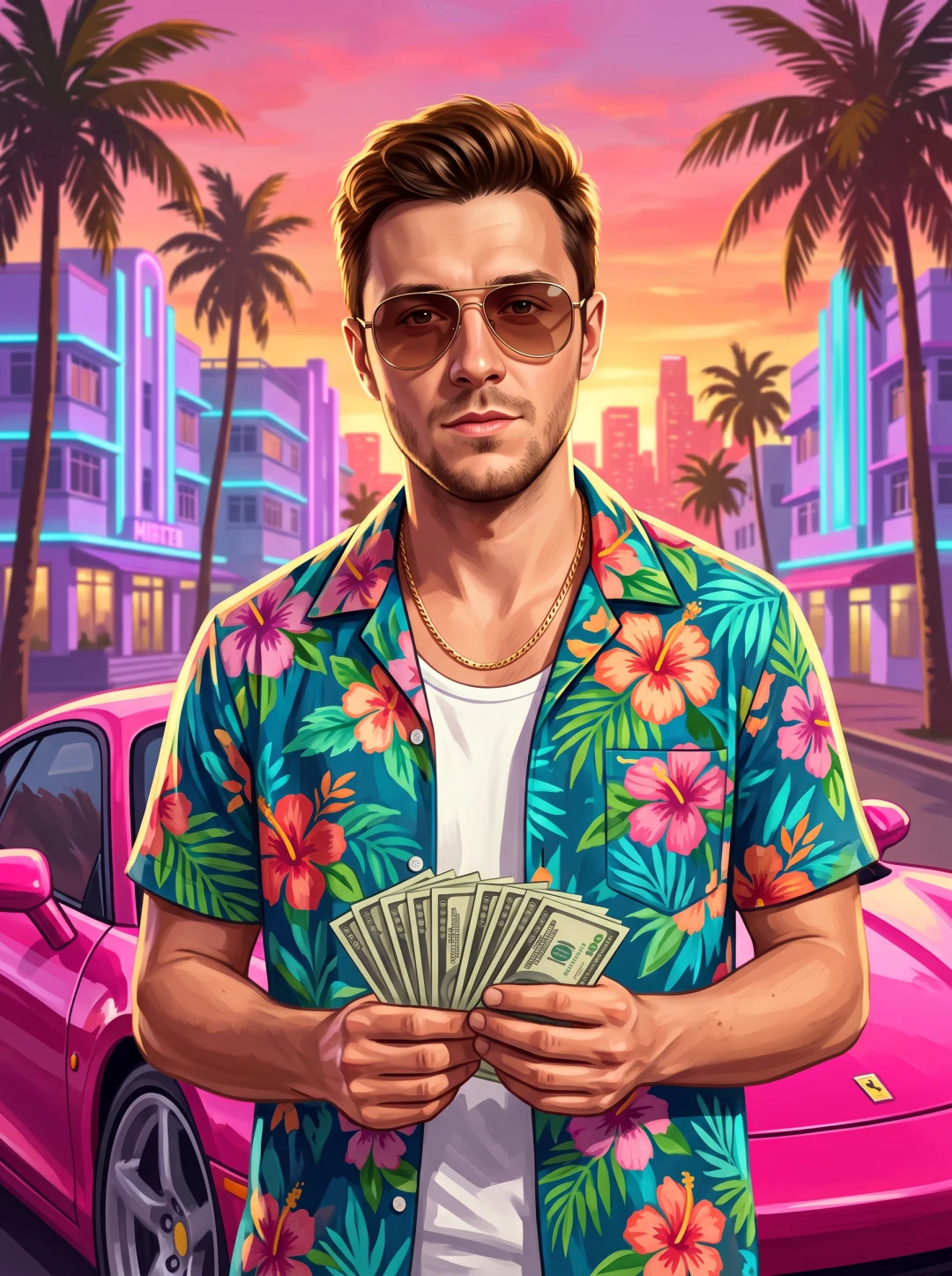
1 photo · 60 credits
GTA Loading Screen Generator
Turn your photo into colorful GTA loading screen art: bold black outlines, neon cel-shading, and Vice City props for solo, couple, nightclub, and beach scenes with no logo.
More AI Meme & Video Guides
How to Make the Bandit (YB & Juice WRLD) AI Rap Duo Video Trend
Step-by-step guide to creating the viral 7-shot Bandit YB & Juice WRLD AI rap duo video from two photos—with sharp face likeness, accurate lip-sync, and original audio.
How to Make the BigXthaPlug — Give It All AI Rap Video from One Photo
Turn a single portrait into the viral BigXthaPlug Give It All studio mic AI rap video with exact lip-sync, warm orange stage lighting, and original sound.
How to Make Viral 2-Person and 3-Person AI Dance Videos with Friends
Compare the best multi-person AI dance templates—Wassup in a Minute, No Scrubs, Snowman Dance, and Jingle Bell—plus photo tips so every friend stays recognizable.